iOS and Android has lot of mail apps in which some provide Good UI but lack in performance, some are good w.r.t it's feature but lack UI and some doesn't even suit to be called as Mail Clients. I am sure that you believe in what I just said.
A friend of mine mentioned about CloudMagic Mail app some time during the end of October 2013 and I said, "Dude, all Mail clients are one and the same. It's better if I just stick with Gmail app"(Since I use only Gmails) After sometime, I thought let me give a try and headed to Play Store and searched for "CloudMagic". In the search results, first app which play store displayed was "CloudMagic - Free Mail App". Went ahead and installed it. After installation, it asked for login/Sign-Up. Since I already had an account which was previously associated with CloudMagic Search app, I just entered my credentials and logged in.
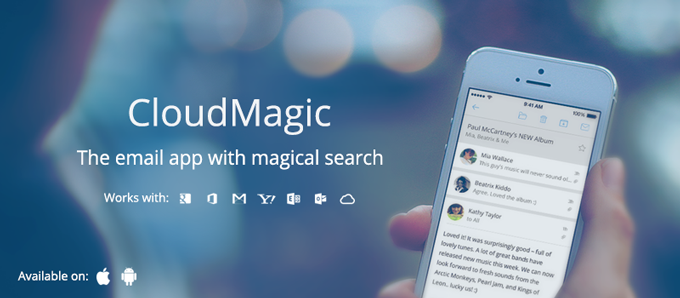
Wow!!! This was the first word which I said just by looking at the UI interface. As I started to look at all the features and facilities provided within the app, I was just saying 3 words. Wow!!! Awesome!!! and Beauty!!! Colours are just the way it is meant to be which makes it look clean and neat. No doubt why this app is currently in "Play Picks - Apps we love" section.
First thing which amazed me was the Search speed. I was running on 3G Aircel network when I did my first search. At first, I thought, network speed is brilliant but later realised that the speed with which the results are fetched are brilliantly fast and highly accurate. Best of all is, search across multiple accounts.
Next, Multiple Accounts. Gmail has already provided the feature of multiple accounts, but that is restricted only to Gmail, but this app provides facility to configure accounts of 8 different types. Earlier, they used to support max of 3 accounts and few days back, they increased it to 5.
All Inboxes My most loved feature. You can see all your configured mail accounts in the side drawer along with a special and most useful section "All Inboxes". It combines all mails from all of your accounts, arranges in decreasing order of time and differentiates mails of different accounts with different colours. You cannot customise the colour as of now.
Default "From" address This comes handy if you have selected "All Inboxes". It provides facility for the end user to set "From" address in "From" field by default when composing a mail.
Passcode Lock No need of any third party apps to secure your mails from unauthorised user. You can set a passcode lock which will be prompted to user whenever app is opened.
CloudMagic has integrated all of the above and all the features which every mail app must have. Looking forward to have some more facilities/features like the following which makes user experience much more awesome.
- Swipe left and right to move/shift between mails.
- Color Customisation support to differentiate mails from multiple accounts.
- Report as spam.
- Zooming option within preview.
Download:
Have your ever tried CloudMagic Mail app? If not, then give a try. I am sure you will like it. Leave your comments below.


